---
title: "Search and navigation"
description: "Find a commit, a ref, or the change that touched a line — without losing your place."
---
> Documentation Index
> Fetch the complete documentation index at: https://docs.gitlane.space/llms.txt
> Use this file to discover all available pages before exploring further.
# Search and navigation
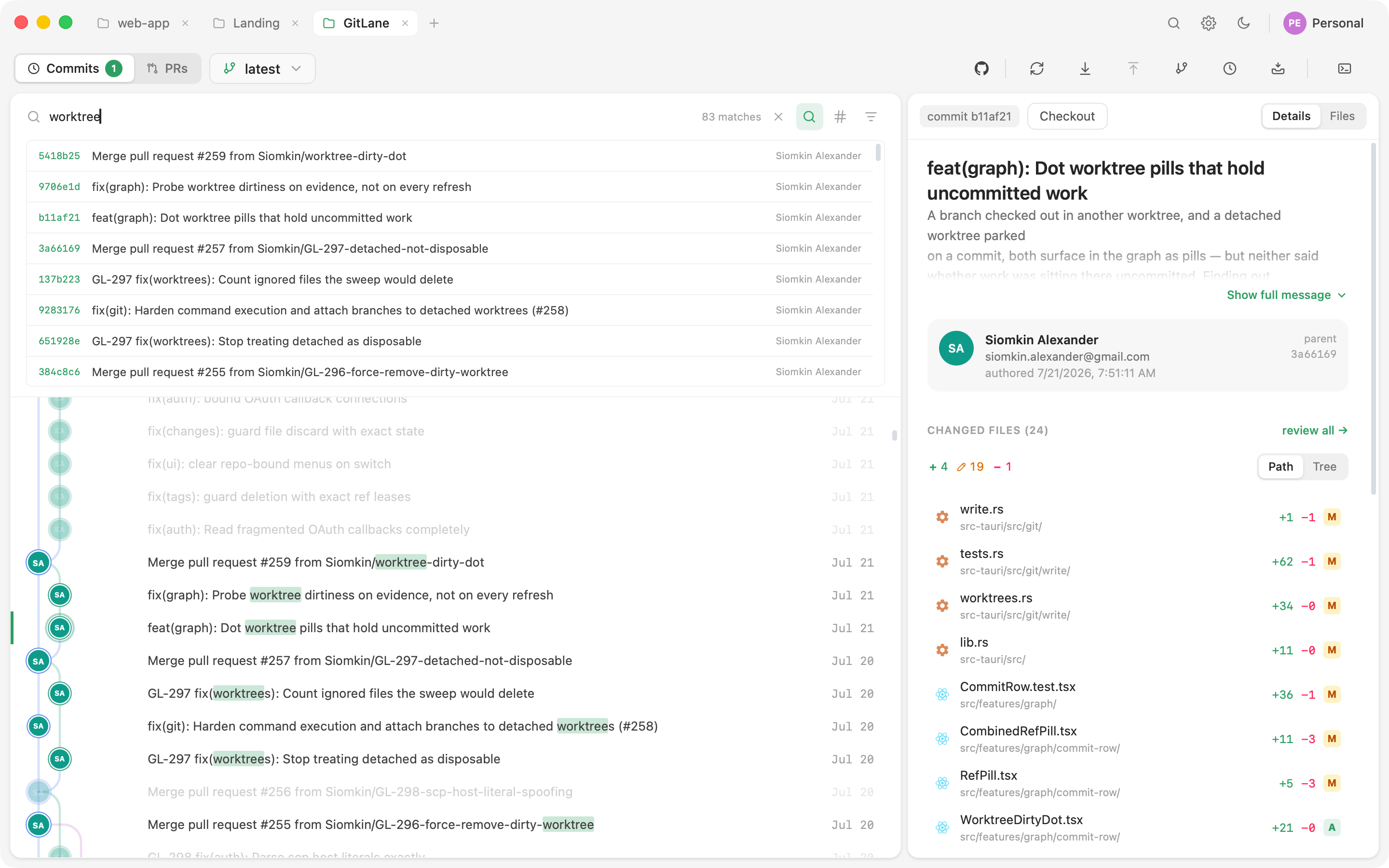
## Incremental search
Type, and matches highlight **in place** while everything else dims. Message,
SHA, author, and branch are all matched. Nothing is filtered out or
reordered, so a hit keeps its position in the tree and you keep your sense of
where you are in history.
## Advanced search
Incremental search covers what's loaded. Advanced mode searches the **whole
repository**:
| Filter | What it does |
| --- | --- |
| Message regex | Full regular-expression match on commit messages |
| Author | Match by author |
| File path | Which commits touched this path — with autocompletion |
| Date range | `since` / `until` bounds |
| Pickaxe | Git's `-S`: which commit changed *this code*? |
Click a result and the graph pages in as much history as it takes to land on
it, then scrolls there.
## The branch navigator
Press Cmd/Ctrl + Alt + F.
The navigator is a two-pane dropdown, not a permanent sidebar: a category
rail (**All / Branches / Remotes / Worktrees / Tags / Stashes**, with counts)
beside the matching list. Type to filter; click anything to move the graph to
its tip.
**Ordering.** Branches and remotes sort by the tip commit's committer time —
git records no branch creation time, so this is the closest honest proxy for
"most recently active." The checked-out branch and any pinned rows sort
above.
**Pinning.** Pin the refs you live in. Pins persist per repository.
> **Tip**
>
> The navigator is also a drag source. You can drag a branch out of it onto
> another branch in the graph to merge, rebase, fast-forward, or reset —
> the same as dragging within the graph.
> [More →](/guides/branch-operations)
## Following one file
When the question is about a single file rather than the repository, switch
to the file-history surface — revisions, line-by-line blame, and ref-to-ref
compare all live there.
[File history, blame, and compare →](/guides/file-history)
Source: https://docs.gitlane.space/guides/search/index.mdx