Worktrees
A linked worktree is a second working directory for the same repository, on its own branch. GitLane treats them as a first-class surface, which matters more than it used to now that AI coding agents work in the background: give each agent its own worktree and they run in parallel without fighting over one checkout, your main tree never gets rewritten under you, and every result arrives on its own branch you can read before it merges.
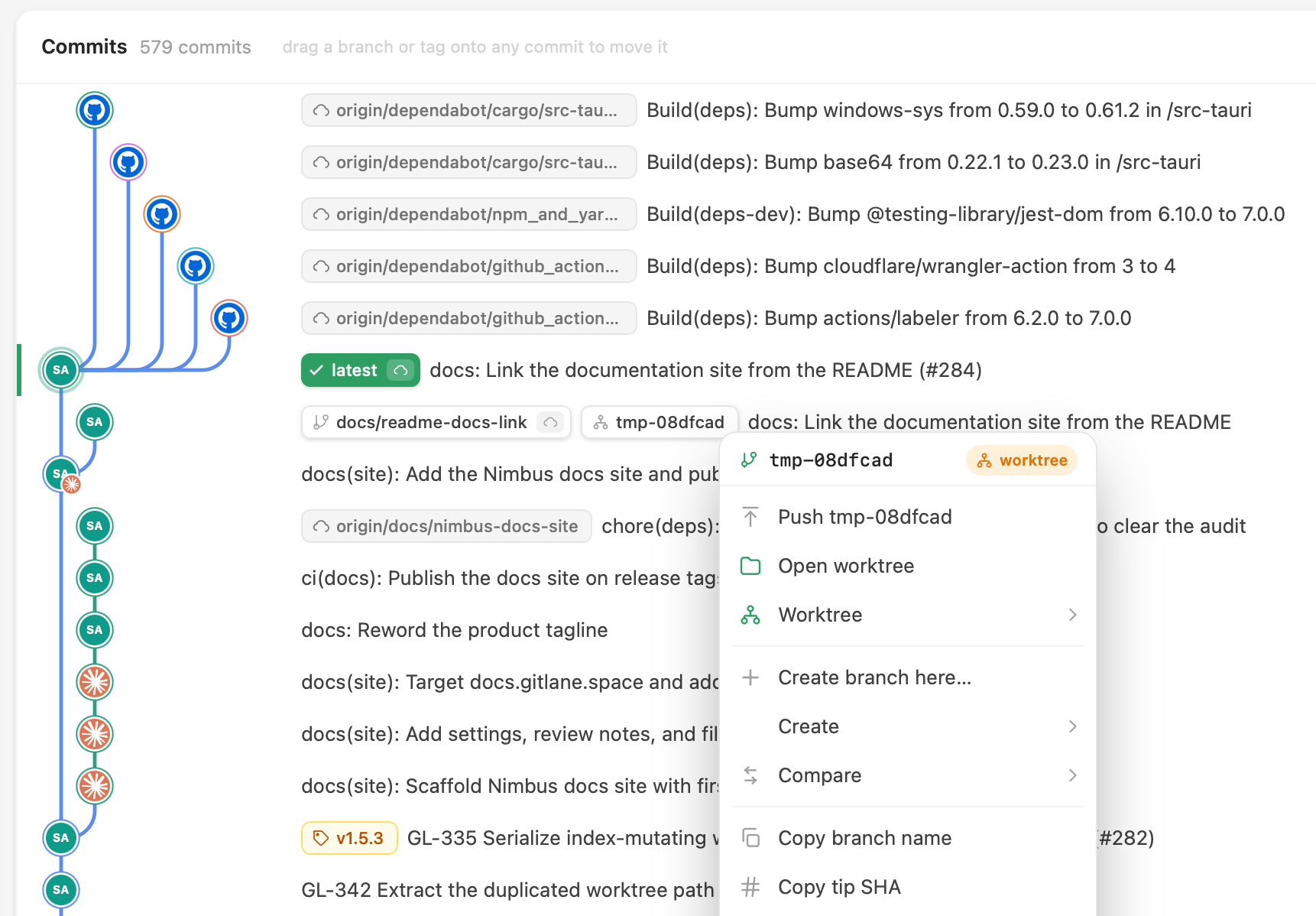
Create one anywhere
Right-click any commit, branch, or tag → New worktree here…. Each open worktree gets its own tab: switch the current tab to it, or open it alongside and keep both.
See them in the graph
A branch checked out in another worktree carries a worktree badge on its pill. A worktree with no branch — a detached checkout — parks a dashed marker on the commit it sits on, which is the only trace it would otherwise leave. Either one shows an amber dot when that worktree has uncommitted work, so you can see what’s happening elsewhere without leaving the history view.
The branch navigator has a Worktrees category listing all of them; the graph’s worktree markers and the navigator rows open the same menu.
Know where you are
Open a linked worktree and the toolbar says so — a worktree chip naming it, and a back button that returns to the main checkout in one click. In the main checkout there’s no chip: linked worktrees still exist, but a permanent badge would just sit there.
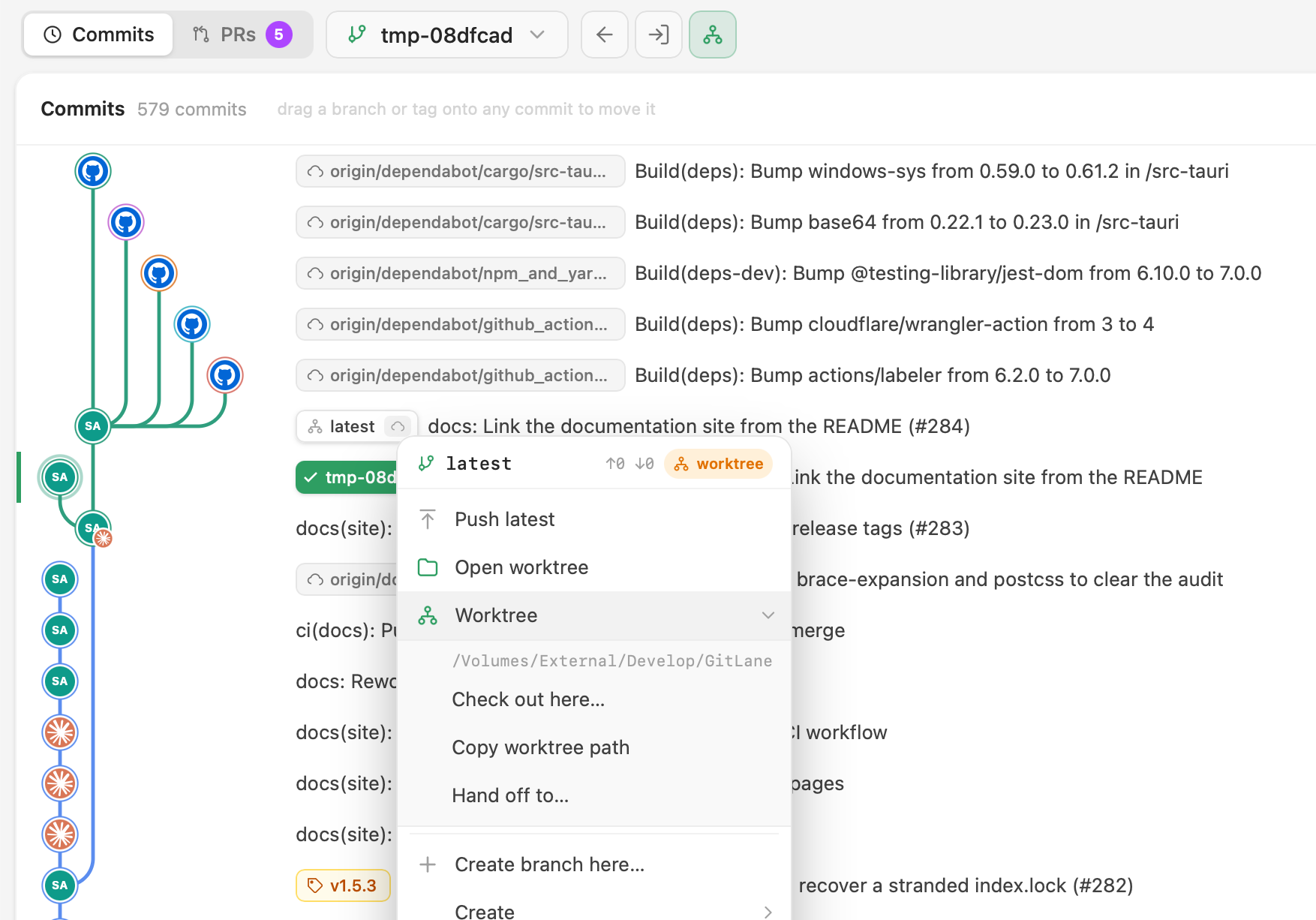
Hand a branch off
Move a branch to another worktree carrying its uncommitted changes, with a live progress checklist so you can see each step happen. That’s the operation that’s fiddly and error-prone by hand.
It doubles as the escape hatch for git’s rule that a branch can only be checked out in one worktree at a time. Ask to check out a branch another worktree holds and GitLane offers the hand-off — bring it here, changes and all — instead of the refusal.
Clean up safely
Removing a worktree previews what goes with it and probes the directory for
uncommitted work first, so a dirty worktree can’t vanish on a stray click.
Deleting a branch that has a worktree can take both in one step —
Delete <branch> & worktree…. Git won’t remove the main worktree, so GitLane
doesn’t offer it.
Stashes
One click to stash (Cmd/Ctrl + Shift + S), or Stash all changes on the WIP row. From there: apply, pop, drop, or turn the stash into a new branch.
Stashes appear in the commit graph at the point in history where you made them, rather than in a detached list — so you can see what a stash was actually based on.
Tags
Create lightweight or annotated tags — annotated tags can be signed. Push a tag to a remote or delete it from one, and create branches or worktrees starting from a tag.
Integrated terminal
Real PTY tabs running your login shell, already in the repository directory. Not a command runner with a log pane — an actual terminal.
Because the filesystem watcher is running, anything you do there shows up in the UI immediately. Commit from the terminal and the graph updates; stage from the terminal and the changes panel follows.
There are also one-click launchers for AI coding agents, configurable under Settings → Terminal Agents. More →
And the rest
- Multi-repo tabs with session restore
- File history, blame, and compare
- In-repository file browser with a guarded text editor
- Background auto-fetch on a configurable interval
- Fast-forward-only pull with explicit divergence handling
- Themes, accents, and density — dark / light / system, nine accent colours, compact or comfortable
- Built-in auto-updates on a stable or beta channel